Instagram is one of the most popular social media platforms, but not everyone is comfortable showing their followers list to the world. Some people value privacy, others want to avoid stalking, judgment, or unnecessary attention. This leads to a common question:
How to hide followers on Instagram?
The short answer is: Instagram does not offer a direct “hide followers” button.
The long answer is more interesting and useful. There are effective ways to control who can see your followers, limit access, and protect your privacy without breaking Instagram rules.
This guide explains what’s possible, what’s not, and what actually works.
Can You Hide Followers on Instagram?
Instagram does not allow users to completely hide their followers list while keeping the account public. This is a platform design choice focused on transparency.
However, Instagram does allow you to:
-
Control who can see your followers
-
Restrict access without notifying users
-
Remove followers quietly
-
Reduce profile visibility using privacy tools
So while you can’t “hide followers” in one tap, you can effectively control visibility.
How Instagram Follower Visibility Works
Before using any method, it helps to understand how Instagram handles follower data.
Public Accounts
-
Anyone can see your followers and following list
-
No restrictions on profile viewing
-
Ideal for creators and brands, not for privacy
Private Accounts
-
Only approved followers can see your followers list
-
Non-followers see nothing except name, bio, and profile photo
-
Best option for privacy
This difference matters because most hiding methods rely on switching to private mode.
Best Ways to Hide Followers on Instagram
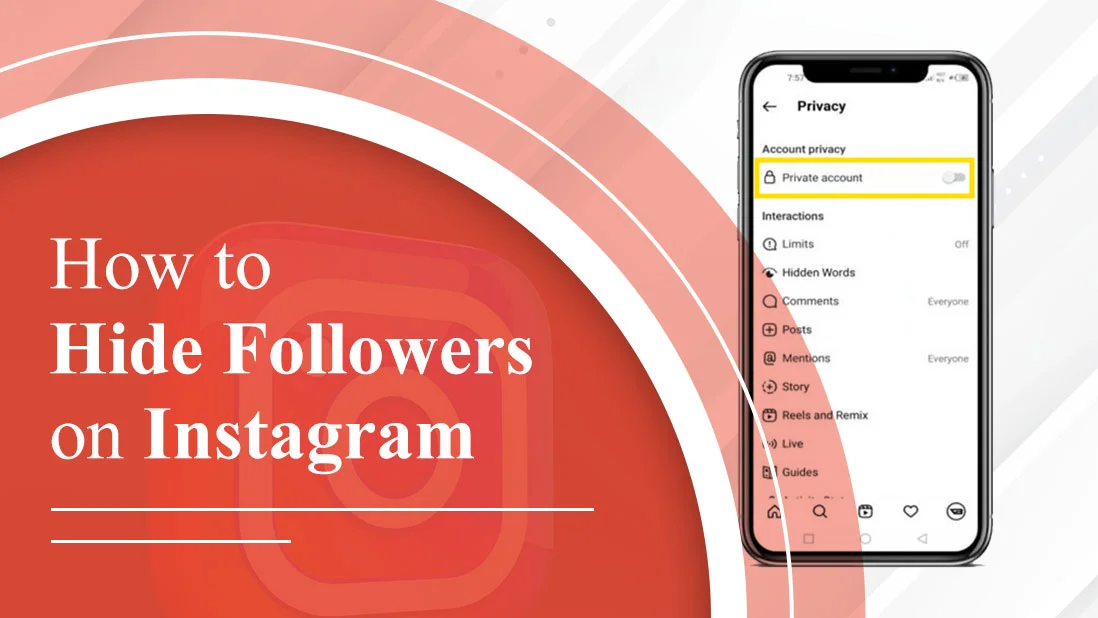
1. Make Your Instagram Account Private (Most Effective Method)
This is the only official and reliable way to hide followers from the public.
How to Make Your Account Private
-
Open Instagram
-
Go to your profile
-
Tap the three lines (top right)
-
Select Settings and privacy
-
Tap Account privacy
-
Turn on Private account
What Happens After This
-
Only approved followers can see your followers list
-
New users must send a follow request
-
Existing followers keep access unless removed
This method works because Instagram hides follower data from non-followers automatically.
2. Remove Followers Manually (Quiet and Effective)
If you want to hide your followers from specific people, this is one of the best options.
How to Remove a Follower
-
Go to your profile
-
Open your followers list
-
Find the person
-
Tap Remove
Instagram does not notify the person when you remove them.
Why This Works
-
Removed users cannot see your followers (if your account is private)
-
No blocking drama
-
Clean and silent
This method is perfect if you want to limit access without confrontation.
3. Block and Unblock a User (Temporary Reset Method)
This method is often misunderstood but still useful in certain cases.
What Happens When You Block Someone
-
They lose access to your profile
-
They are removed as a follower
-
Likes and comments may disappear
If you unblock them later:
-
They must follow you again
-
They won’t automatically regain access
This method is useful if you want a clean break, but it’s more aggressive than removing.
4. Use the Restrict Feature (Limited Privacy Control)
Restricting doesn’t hide your followers list, but it reduces interaction.
What Restrict Does
-
Their comments are hidden unless approved
-
They can’t see when you’re online
-
They won’t know they’re restricted
This is helpful for:
-
Controlling harassment
-
Reducing attention
-
Avoiding awkward blocking
But remember: restrict does not hide followers.
Can You Hide Followers From Specific People Only?
This is one of the most asked questions.
Official answer: No.
Instagram does not allow selective hiding of followers.
What You Can Do Instead
-
Switch to a private account
-
Remove specific followers
-
Block unwanted viewers
There is no setting that lets you hide followers from only one person while staying public.
Can You Hide Followers Without Making Your Account Private?
Short answer: No.
Any website or app claiming:
-
“Hide followers without private account”
-
“Invisible followers trick”
-
“Secret Instagram setting”
is either:
-
Misleading
-
Outdated
-
Unsafe
Instagram does not support this functionality.
How to Hide the Following List on Instagram
Followers and following lists behave the same way.
-
Public account → visible to everyone
-
Private account → visible only to approved followers
There is no separate setting for hiding following while showing followers.
Can Business or Creator Accounts Hide Followers?
No.
Business and Creator accounts:
-
Are designed for visibility
-
Do not support follower hiding
-
Must switch to Personal + Private for privacy
If privacy matters more than analytics, switching account type is the right move.
Third-Party Apps That Claim to Hide Followers (Avoid These)
You may see apps that promise:
- Hidden followers
- Invisible profiles
- Private viewing
These apps are dangerous.
Risks Include
- Account hacking
- Data theft
- Permanent bans
- Loss of access
Instagram does not share follower visibility controls with third-party apps. Using them violates Instagram’s terms.
Why Instagram Doesn’t Allow Full Follower Hiding
Instagram’s core design is social transparency.
Reasons include:
- Preventing fake engagement
- Maintaining trust
- Reducing scams
- Encouraging real connections
This is why Instagram focuses on access control, not total hiding.
Privacy Tips to Stay Safe on Instagram
If follower privacy matters to you, combine these settings:
- Set account to private
- Review followers monthly
- Remove inactive or unknown followers
- Disable activity status
- Limit story visibility
- Avoid third-party tools
These steps give you practical privacy, even without full hiding.
Final Verdict
Instagram does not let users fully hide followers with one click, but you still have strong control.
Best Working Methods
-
Make your account private
-
Remove unwanted followers
-
Use block or restrict wisely
If privacy matters to you, a private account + regular follower cleanup is the safest and smartest approach.